How to Generate Videos in Seedance 2.0 Using a Storyboard + Character Sheet
Hey guys,
In this tutorial I'll show you how to generate a consistent, multi-shot character video in Seedance using a storyboard blueprint and a character sheet — a technique that gets around Seedance's likeness protection, which normally rejects any prompt or reference image that looks like a real human face acting out a scene.
The trick has three parts:
- Storyboard — plan the whole scene using faceless 3D mannequins instead of real characters. Mannequins don't trigger likeness protection.
- Character Sheet — turn your real reference photo into a black-and-white illustrated sketch. Illustrations bypass the same filter.
- Video Prompt — feed Seedance both references and explicitly tell it: "swap the mannequin in the storyboard for the character in the sketch."
Let's go through each step.
Step 1: Storyboard Prompt (mannequin blueprint)
Why mannequins? A storyboard with real human likeness gets flagged and rejected by Seedance's likeness protection. Solid-color, featureless mannequins carry all the blocking, pose, and camera information you need — without any face for the filter to catch.
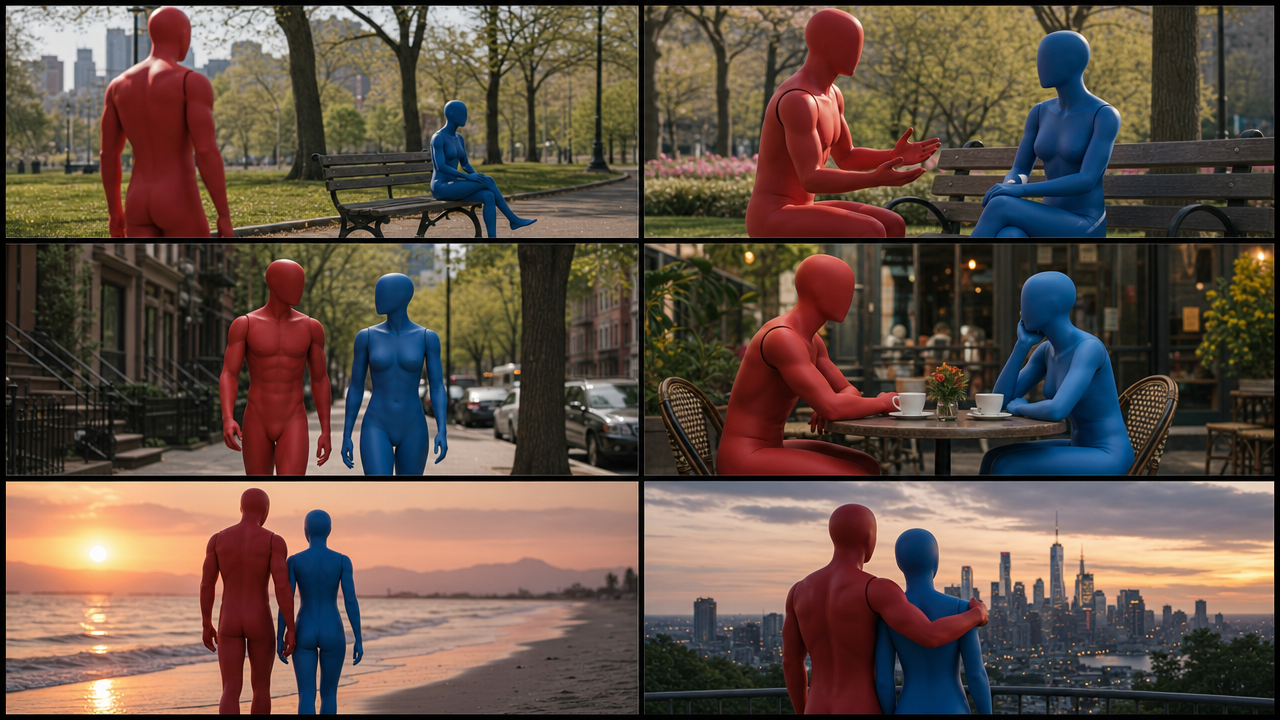
Prompt:
Create a cinematic 6-panel storyboard sheet.

Layout:
- 6 separate storyboard frames.
- Arrange in a 3×2 grid.
- Each individual panel must be exactly 16:9 widescreen.
- Maintain full 16:9 composition inside every panel.
- No cropping of panels.
- Equal spacing between panels.
- No text. No captions. No labels. No logos. No watermark.

Characters:
- ONLY two 3D artist mannequins.
- One male mannequin, solid matte red.
- One female mannequin, solid matte blue.
- Smooth featureless mannequin faces. No eyes. No mouth. No hair. No clothing. No accessories.
- Realistic human mannequin proportions.
- Keep the same red male and blue female mannequin design in every panel.

Story:
Panel 1: Red male mannequin sees blue female mannequin sitting alone in a realistic city park.
Panel 2: Red male mannequin approaches blue female mannequin and starts a conversation.
Panel 3: Red and blue mannequins walk together through a realistic outdoor street environment.
Panel 4: They sit together at a realistic outdoor café, enjoying each other's company.
Panel 5: They walk together along a realistic beach at sunset.
Panel 6: Red and blue mannequins stand together looking at a realistic city skyline, showing friendship and connection.

Background:
- Must look like a real photograph — realistic live-action environment.
- NOT 3D rendered. NOT CGI. NOT cartoon. NOT game environment.
- Real-world parks, streets, cafés, beaches, and city landscapes, natural lighting.
- Photorealistic environment, natural depth of field, cinematic photography.

Overall Style:
- Hybrid composition: 3D mannequin characters placed into realistic photographic environments.
- Realistic lighting interaction between mannequins and environment.
- Cinematic movie storyboard, high detail, professional film-still quality, 8K resolution.
Step 2: Character Sheet Prompt (identity bypass)
Seedance also rejects real human face photos used directly as character references. To get around this, convert the reference photo into a monochrome fashion-sketch illustration — the identity and facial structure carry through, but it's no longer flagged as a "real face."
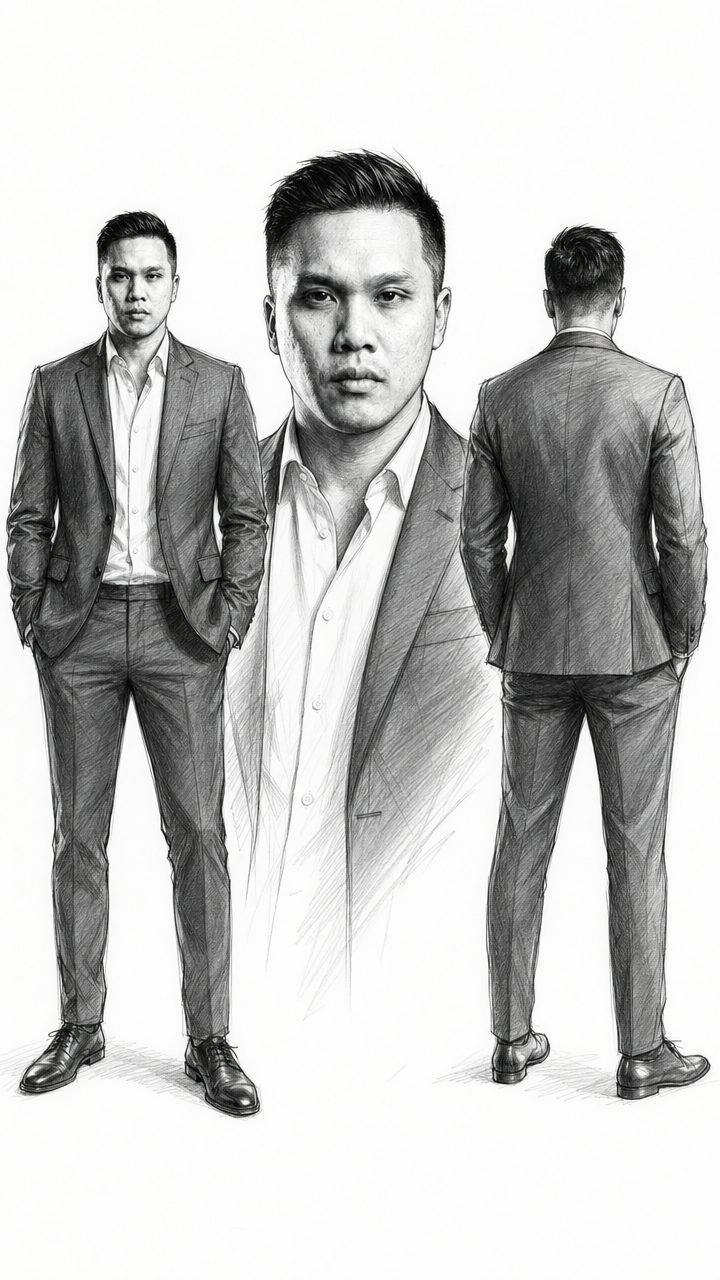
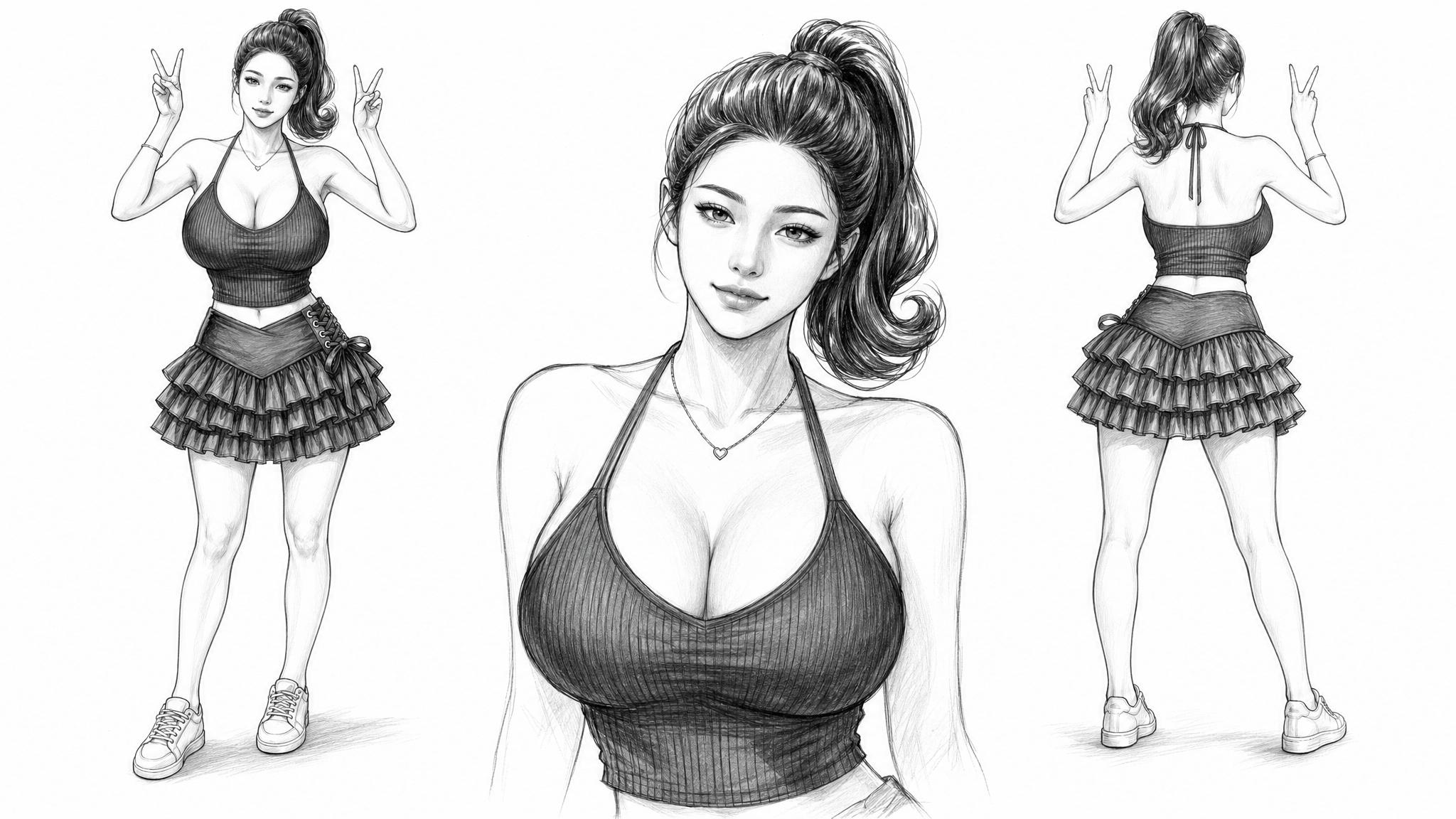
Prompt:
Create a 16:9 black-and-white fashion sketch illustration of the person from the photo reference.

Three views side by side: full body front view, medium portrait view, full body back view.
Realistic body proportion.

Use only monochrome tones: black, white, graphite grey, charcoal grey, soft pencil shading.
No color. No watercolor fill. No blue, grey-blue, skin tone, or tinted palette.

Style: loose expressive pencil lines, high-detail facial shading, fashion design sketch aesthetic, clean white paper background, strong negative space.

Face: preserve the original facial structure, eye shape, nose, lips, jawline, hairstyle, and all distinguishing features.
Skin: light graphite pencil shading, minimal hatching.
Hair: sharp dark ink lines, deep charcoal shading.
Clothing and body: clear sketch linework, elegant fashion proportions, natural pose.

Final image must look like a professional black-and-white fashion concept sketch on white paper.
Run this once per character. You'll end up with one clean identity sheet per person (e.g. one for Nan, one for Clara).
Step 3. Video Prompt
Finally the video prompt. The most important part in this prompt is you need to have style. If you dont have style it will turn it into cartoon or 3D animation
Prompt:
[Style]STYLE: REALISTIC CINEMATIC 4K — naturalistic 35mm film print emulation, shot on ARRI with 24mm lens, handheld, natural organic grain, subtle organic camera shake, filmic color science.
[Character]
Nan @image1
Clara @image2

Storyboard @image3
Follow the storyboard. The red mannequin is representation of Nan, the blue mannequin is the representation of clara